What is SMARTSERVA?
add
SMARTSERVA is the campus & student operations platform for educational institutions - schools, colleges, universities, international schools, training and tuition centres, academies, coding bootcamps and language centres. Built by VYROX INTERNATIONAL SDN BHD and powered by VYROX AI - the AI that specializes in business operation management together with IoT - it runs campus & facility access (face / card / plate / lift), class & coach scheduling, student & member enrollment, classroom & facility booking, fee & invoice collection (MyInvois / LHDN), campus security and canteen / bookshop POS on a single console. It handles campus operations, not academics.
Is SMARTSERVA a learning-management system (LMS)?
add
No. SMARTSERVA is a campus & student operations platform, not an LMS or e-learning tool. It does not deliver online courses, lessons or content. What it runs is the operational layer around teaching: campus and facility access, class and coach scheduling, student and member enrollment, classroom and facility booking, fee collection, campus security and POS. It pairs cleanly alongside whatever LMS or teaching tool you already use.
Does SMARTSERVA handle grades, transcripts or report cards?
add
No. SMARTSERVA does not manage grades, gradebooks, transcripts, report cards, exams, curriculum or syllabus - those are academic-records functions outside the platform. SMARTSERVA records operational data such as campus access logs (who entered which gate, classroom or lift, and when), not academic attendance for grading. Keep your academic system for marks; SMARTSERVA runs the campus operations around it.
Can SMARTSERVA handle student enrollment and class scheduling?
add
Yes. SMARTSERVA keeps a student and member enrollment registry (primary plus branch / affiliate records, with plan, days-remaining, deposit and fee), schedules classes and coaches, and supports class passes and punch-card bundles. Classroom and facility bookings run through a conflict guard so two classes never land on the same room and slot.
How does SMARTSERVA handle MyInvois (LHDN) e-invoice submission?
add
MyInvois is native, not a bolt-on. Every B2B invoice is validated against LHDN schema before submission - sandbox first, then production. Failed validations show the offending field inline. Credit notes and consolidated invoices are supported out of the box.
Can I import data from my existing spreadsheets or legacy system?
add
Yes. We provide CSV/Excel templates for students, members, rooms, parking bays, enrollments and historical invoices. Patrick personally walks you through the first import so you do not lose history or audit trail.
Is there a mobile app for students, parents and staff?
add
Yes - four apps in fact: student/parent, staff, security and courier. All under single sign-on, all on iOS and Android, all sharing the same SMARTSERVA database.
How does face recognition work with privacy and PDPA?
add
Face templates are stored encrypted at rest. Students, parents and staff consent at enrolment, can request deletion any time, and retention windows are configurable per data type. ANPR plate data is purged after 30 days unless tied to an active incident.
Can SMARTSERVA replace Autocount or work alongside it?
add
Both options are supported. Many operators run SMARTSERVA as the front office (billing, e-invoice, collections) and bidirectionally sync customer, invoice and GL data to Autocount for the finance team. Others retire Autocount entirely.
How long does onboarding take?
add
Most campuses go live in 4 weeks: week 1 discovery and import, week 2 configuration and training, weeks 3-4 access-device pairing and soft launch. Larger campuses with complex hardware can take 6-8 weeks.
What hardware brands and models are supported?
add
Brand-agnostic. Generic IP cameras with HTTP snapshot/event ingest (cgi-bin style), MIFARE-compatible RFID smart cards, smart intercoms, ANPR/LPR plate cameras, common lift controllers via dry contact or IP, parking-lock controllers and wheel-clamp module, smart lighting and power monitors. Device-protocol traffic is encrypted with the SM4 cipher. Door and locker access tokens are issued via the standard QR-key system and the delivery_lockers configuration.
Does it work for small centres or only big campuses?
add
Both. Small tuition or training centres under 100 students pay a small monthly subscription. The platform scales to 10,000+ students across multiple campuses without architectural changes.
Can students or parents pay fees by credit card or QR?
add
Yes - via Xendit. The currently-wired methods are QR, credit/debit cards, and Direct Debit. Failed cards retry automatically and webhooks reconcile to the SMARTSERVA ledger in real time. Manual proof-of-payment uploads are routed into a verification queue for the bursar to approve.
What happens if MyInvois validation fails?
add
The invoice is flagged with the exact failing field (TIN format, BRN, classification code). You correct it inline and resubmit - no separate workflow. Sandbox validation catches most issues before production.
Can I customise invoice templates and reports?
add
Yes. Logo, colours, footer, terms, and line-item layouts are all configurable per property. Reports are exportable to PDF, Excel and CSV.
How does campus visitor / parent pre-registration work?
add
A parent or staff member opens the app, enters guest name + plate + IC, picks a date window, and the system emails the guest a QR pass (our email service) plus stores it on their app. At the campus gate, plate or QR scan opens the boom in under 2 seconds.
Is there an API for our own integrations?
add
Yes - a REST API with webhook events covers customers, invoices, payments, access events and bookings. Enterprise plans include OAuth 2 + API key management.
Where is the data hosted and how is it backed up?
add
Production data is hosted in Singapore on hardened cloud infrastructure. TLS 1.3 in transit. Daily off-site backups with point-in-time restore.
Is the system available outside Malaysia (Singapore, Indonesia, Thailand)?
add
Yes. Currency, language and tax engine are configurable per property. We have customers in Singapore and Indonesia, and the platform is ready for Thailand, Vietnam, Philippines.
How is downtime and maintenance handled?
add
Maintenance windows are scheduled outside SEA business hours (typically 02:00-04:00 SGT/MYT Sundays) and email broadcasts notify customers in advance. Patrick remains reachable on WhatsApp as the sales / escalation channel - that is a human channel, not a system feature.
How do I train my team and roll it out to students and parents?
add
Onboarding includes 2-3 hands-on training sessions for staff, scheduled around your timetable so peak periods are covered. Students and parents get a one-page quick-start card plus an in-app tour and a soft-launch broadcast. Patrick stays on call through your first billing cycle so any edge case is resolved live, not in a ticket queue. We also record sessions and leave them in your tenant for new hires.
Does the class timetable double as a gradebook or attendance-for-grading record?
add
No. The class schedule timetable is a scheduling and enrollment tool, it shows what runs when, in which room, with which coach, and how many seats remain, and it draws down a student's class pass on booking. It is not a gradebook, transcript or LMS. The access logs it produces are operational security records of who entered a gate, classroom or lift and when, not academic attendance used to compute marks. Exam scripts and marks are handled separately by the AI Exam Marking module, see below, which keeps a teacher-owned mark record distinct from the operational timetable.
How does AI Exam Marking actually work, and does the AI decide final grades?
add
A teacher scans or photographs a batch of answer scripts and uploads it against a rubric or model answer set for that paper. The vision model reads each script, printed or handwritten, including mixed English/Malay/Chinese scripts, locates each answer, proposes a mark per question with a short margin comment explaining the reasoning, and flags anything it is not confident about. It also runs a completeness pass: every script is checked for blank or skipped questions, missing pages, an unreadable index number, or a question count that does not match the rubric, and any of those raise a review flag before the script can be signed off. Nothing is final until a teacher reviews the AI-proposed marks and comments in the marking workbench and either confirms or overrides them line by line, the AI proposes, the teacher decides, and every override is logged.
What does the Security Monitor show, and where does face matching happen?
add
The Security Monitor is a live operations screen with two auto-refreshing boards - Physical Access Logs (face, RFID card, plate and lift readers) and Digital Access Logs (QR passes for visitors, parents and students) - each with a live event counter. Every entry attempt carries a status from the real legend: Granted, Pending Activation (pass not yet valid at entry time), Expired (past end time), Invalid QR Code (QR not from the system), Wrong Entrance (not authorised at that entrance) or No Record (credential unknown). Face matching is performed on the access device itself; the platform records, audits and reports the result rather than running recognition centrally.
What are the facility / room booking statuses?
add
Bookings move through the real status set used on the console: Pending Booking Approval, Pending Customer Payment, Confirmed, Rejected and Expired, with Upcoming, Completed and Cancelled views as well. Operators approve a request, collect payment, and the booking confirms - every step is logged, and the whole list exports to PDF and Excel. Labs, halls, courts, studios and meeting rooms all use the same flow with a conflict guard so two bookings never overlap a room and slot.
How does the cashflow chart and fees-by-programme report work - is it a forecast?
add
No, it is not a forecast or a prediction. The Cash Book chart is a stacked-bar visualisation of the monthly cash inflow your ledger already records, split by tender into cash receipts, online payment gateway and bank-account transfers. The fees-by-programme report aggregates billed, collected and outstanding amounts per programme using SQL, with PDF and Excel export. It is plain tabular reporting of real numbers, not machine-learning revenue prediction.
How are complaints and suggestions tracked?
add
Complaints and suggestions share a queue with the real status set New, Processing and Completed. Each item carries an Outstanding (Day) counter so nothing ages silently, list columns for No., Submitted, Unit, Complainant, Category and Title, and a per-row Acknowledge or Resolve action. Operators close the loop on every campus issue from one console, and the queue exports to PDF and Excel.
Can I import customers and invoices from a competitor system?
add
Yes. We accept CSV/Excel exports from most market tools and normalise them into the SMARTSERVA schema during week 1 of onboarding. Historical invoice numbers are preserved so finance continuity is unbroken. Where the source has data quality issues, we flag rows for review rather than silently dropping them, and Patrick reviews the diff with you before commit.
Is SMARTSERVA GDPR-aligned for European-owned operators?
add
SMARTSERVA is PDPA-aligned (Singapore PDPA 2012 for hosted data; Malaysian operators also covered under Malaysia's PDPA 2010) and operates with the same primitives GDPR requires: lawful basis at collection, retention windows, data-subject access requests, deletion on request, and a documented sub-processor list. European-owned operators typically run SMARTSERVA without modification; for EU data residency we offer hybrid deployment to a region of your choice.
Can I customise the look and feel for our property?
add
Yes. Logo, colour palette, email templates, mobile-app splash and the customer portal are configurable per property or per group. Patrick walks you through the brand setup during onboarding.
How is the audit log handled?
add
Every privileged action is recorded against the audit log - actor, action, timestamp, source IP - and exportable on request. Deletion is logical (tombstone with reason) so nothing is silently lost.
What is NOT included in the standard plan?
add
Custom integrations beyond the public REST API, dedicated infrastructure and 24/7 named-engineer support are enterprise-tier. Hardware (cameras, readers, lifts, ANPR units) is purchased separately - we either source it for you or you buy direct, your call.
Can I export all my data if I ever leave?
add
Yes - at any time, no exit fee. We provide full database dumps as SQL plus normalised CSVs of every domain object (customers, units, invoices, payments, access events, bookings, audit log). Face templates and access credentials are exported encrypted to the keys you provide. There is no data hostage.
What does the SMARTSERVA analytics dashboard show?
add
It surfaces the metrics SMARTSERVA already computes from your operational data: access events, face matches, lift trips, MyInvois documents validated, and devices online - each scoped by a date-range preset (Today, This Month, Last Month, This Year). It also charts access events by hour and shows a device-uptime ring. These are illustrative dashboards over real SQL-aggregated numbers, not predictions.
Does SMARTSERVA use AI to forecast or predict?
add
No. SMARTSERVA does honest, durable reporting - SQL aggregation across the operational tables, exported to PDF, Excel and CSV. There is no built-in machine-learning prediction. The access "intelligence" that flags a stranger or reads a vehicle plate runs on the connected third-party device itself, not inside the platform. SMARTSERVA registers those devices, ingests their events, and gives you the clean, auditable data to make the call.
How does arrears aging help me collect faster?
add
Every outstanding balance is bucketed into current, 1-30, 31-60 and 60+ days, with balance computed as billed minus paid minus unposted. That aging profile drives the dunning cascade automatically: invoice and PDF immediately, an overdue reminder seven days before due, the first letter on day one overdue, the second on day 31, the third on day 61, and a card-expiry warning seven days before a saved card lapses - all on a automation schedule.
Can I export the dashboards and reports?
add
Yes. Every report - collections, arrears aging, facility utilisation, cashflow forecast, revenue summary, GL statements - exports to PDF, Excel and CSV. The on-page dashboards visualise the same numbers your reports already produce.
How do I read the device-uptime number?
add
Every access reader, camera, lift controller and intercom reports a sync date and heartbeat. The uptime ring rolls those into a single percentage and the device grid lists any unit with a stale sync - turning reactive break-fix into a scheduled maintenance round, with a defensible record that the access stack was monitored continuously.
Walk me through the MyInvois flow from draft to paid.
add
Five stages: Draft (raised in the GL with line items and SST), MyInvois validate (UBL 2.1 JSON checked against the LHDN schema in sandbox first), Submit to LHDN (production, UUID returned), Cleared (LHDN sharing URL stored, QR generated), and Paid (Xendit payment reconciled, receipt issued, GL closed). Walk-in buyers use the LHDN-prescribed TIN the walk-in TIN.
Where is SMARTSERVA data hosted?
add
Production data is hosted in Singapore on hardened cloud infrastructure, with TLS 1.3 in transit and daily off-site backups with point-in-time restore. Malaysian compliance (MyInvois/LHDN, MSIC, SST) and Malaysian payment rails (FPX, DuitNow, e-wallets via Xendit) are first-class, but the data centre region is Singapore.
What does the campus access map show?
add
It is an interactive plan of a sample campus - Main Gate, Classroom Block, Science Lab, Library, Hall, Hostel and Car Park. Each zone is mapped to its real access policy: who may enter, when, and by which method (face recognition, RFID card, vehicle plate read, or lift floor-call). Selecting a zone shows that policy plus an entries-today count drawn from the access event log. It is an operational access-control view, not a building-management or surveillance feed.
Is the weekly timetable a learning-management system?
add
No. The timetable grid is a scheduling and room-booking view: periods down the rows, Monday to Saturday across the columns, with class blocks showing the class name, coach, room, capacity and class-pass type. It schedules when and where classes and coached sessions run and which room is booked - it does NOT hold grades, transcripts, marks, curriculum or any academic record. SMARTSERVA covers campus access, enrollment, scheduling and fees, not coursework.
What is on the student / member ID card?
add
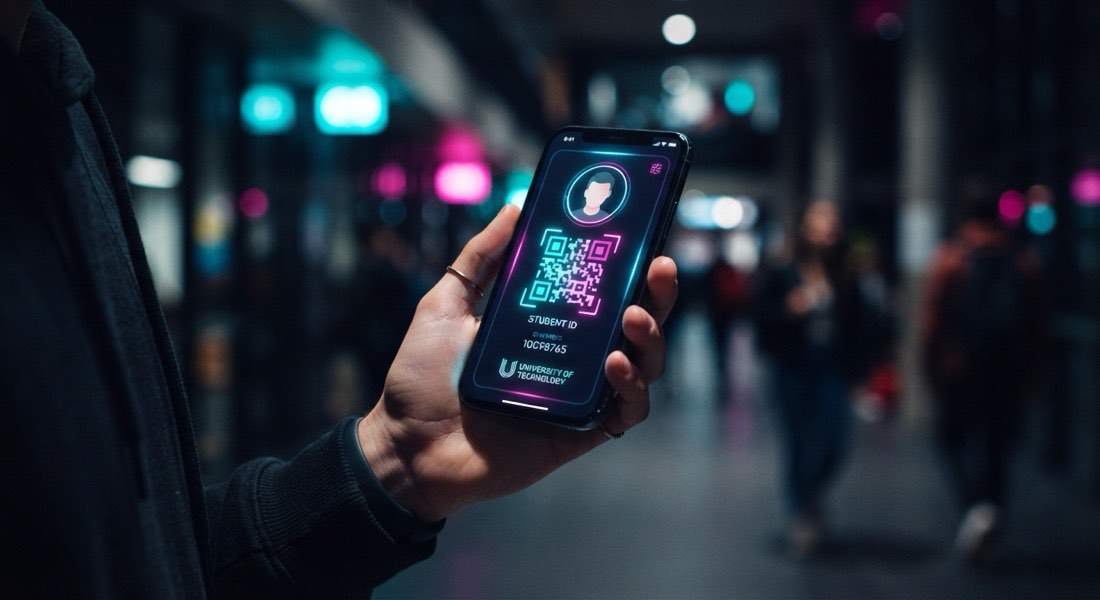
The card is a student or member credential tied to one identity in the enrollment master: a class-pass balance ring (for example seven of ten classes used) and a tap-in panel showing face or card access at a campus gate. It links enrollment, the class-pass bundle and physical access on one credential. It carries no grades or academic records - only enrollment status, pass balance and access rights.
What is the campus operations center?
add
It is a single live console for the duty operator: campus zones with entries-today counts, a streaming live-entries feed from the access log, a class-in-session board showing which rooms have a class running (room, class, coach, capacity), and today's facility bookings. Every figure is drawn from the access event log and the booking calendar - it is an operational access-and-scheduling view, not a gradebook, transcript or surveillance feed.
How does the student lifecycle work in SMARTSERVA?
add
One identity in the enrollment master flows through four operational stages: enrollment (master record with plan, deposit and fee, plus guardian sub-accounts), class pass (a punch-card bundle or recurring membership with a tracked balance), campus access (an operational tap-in log of face/card/plate at gates, rooms and lifts - never academic attendance for grading), and renewal (an auto-generated, MyInvois-validated invoice raised about 30 days before expiry). It records operations, not academic results.
What can the Ask VYROX AI assistant answer?
add
It answers preset operator questions from data SMARTSERVA already computes: who is 60+ days overdue (arrears aging buckets), which rooms are underused this week (facility utilisation report), today's class load (class schedule and bookings), this month's MyInvois batch status, and which access devices are offline (device heartbeat). It surfaces and automates real SQL-aggregated reports - it does not predict the future, and it never touches grades or coursework.
What automations does SMARTSERVA run on a schedule?
add
Automated rules, not AI guesses: fee auto-billing on the 1st, the dunning cascade (overdue reminder seven days before due, letters on day 1, day 31 and day 61, card-expiry warning seven days before), class-pass and membership auto-renewal about 30 days before expiry, auto-stop of time-limited facilities when a booked window ends, auto-cancel of expired bookings with deposit refund, and a device heartbeat with a 14-day purge of stale photos and audit logs. Every run is logged with a timestamp, so it is provable and auditable.
What can parents and guardians do in the app?
add
Parents and guardians use an installable PWA on the same SMARTSERVA database to pay fees (Xendit - FPX, card, DuitNow QR, e-wallets) with in-app receipts and the MyInvois link, view the child's class and room schedule, pre-register a time-windowed visitor QR pass for pickup or a guest, and read campus announcements mirrored to email. It shows operational information only - no marks, transcripts or coursework.
Which third-party systems does SMARTSERVA integrate with?
add
SMARTSERVA is the spine in a hub-and-spoke ecosystem of genuine third-party integrations: MyInvois/LHDN (UBL 2.1 e-invoice), Xendit (QR/DuitNow, card, Direct Debit, FPX, e-wallets), the AutoCount Connector (Bearer-auth invoice/payment/cancel/undo), IoT and access hardware families (generic IP cameras, MIFARE RFID, SmartFACE/SmartVE/SmartINTE, lifts, parking locks, SM4 device cipher), HERE Maps for the courier and staff apps, and a documented REST API with webhooks. Brand-agnostic - keep the tools you already run.
What is on the BI / KPI wall?
add
A dense executive board of small-multiple tiles - collection rate, fee arrears, room occupancy, access events today, device uptime, MyInvois validated, on-time fee ratio, average daily revenue, no-show rate, library dwell, EV charger use and open incidents - each with a value, a trend direction and a sparkline. Every tile is an illustrative visualisation of real SQL-aggregated metrics, exportable to PDF and Excel. There are no forecasts.
What does the campus gate & zone access board show?
add
It is a live multi-panel board of the campus access zones - Main Gate, Classroom Block, Science Lab, Library, Hall, Hostel and Car Park - each showing its access method (face / RFID card / vehicle plate / lift floor-call), its current occupancy against capacity, and a streaming feed of the latest granted and denied entries from the access event log. Operators can filter the feed by All / Granted / Denied. It is an operational access-control view drawn from the access log, not a surveillance video feed and not academic attendance for grading.
How does the enrollment & pass-issue funnel work?
add
It visualises the operational student-intake funnel as a conversion chart: enquiry, application, enrollment confirmed, fee invoiced (MyInvois), pass issued and access activated, with a count and conversion rate at each stage. It is an enrollment-operations and onboarding view - registry, fees and access provisioning - and never touches grades, transcripts or coursework.
Does SMARTSERVA have a canteen or bookshop POS?
add
Yes. The canteen / bookshop POS is a touch till for on-campus retail and F&B: a product grid, a running cart with quantities and SST, and tender by cashless wallet, DuitNow QR, card or student-account charge (billed to the enrollment ledger). Sales post straight into the GL and, where required, into the MyInvois flow. It uses the platform stocks and sales modules - it is a retail point of sale, not an academic record.
Can I ask for a report in plain language?
add
Yes - the natural-language report builder lets an operator type a request such as "access by hour at the Main Gate this week" or "outstanding fees over 60 days" and VYROX AI assembles the matching SQL-aggregated report - a table or chart over data SMARTSERVA already computes - ready to export to PDF, Excel or CSV. It surfaces and automates real reports; it does not predict the future and it never produces grades or academic results.
What is the admin monitoring console?
add
A single operations console for the campus admin and IT team: system status, a device-heartbeat grid (readers, cameras, lifts, intercoms with last sync), an approval queue (payments, bookings, move-ins) with accept / reject actions, and a streaming audit feed of privileged actions from the audit log. It turns reactive break-fix into a scheduled maintenance round with a defensible, auditable record. It is an operations and security console, not a gradebook or transcript system.
What does the actual staff console look like?
add
It is the screen your team works in: a left module rail (Operation Insights, Security Monitor, Customer Accounts, Cash Book, General Ledger, Reports, Suppliers, plus the admin console for Management Bodies, Projects, Employees, Campaigns, Membership Plans and Payment Processors), a top title bar with a date-range pill (Today, Yesterday, This Month, Last Month, This Year, Last Year, Custom Time Frame) and a New button, and a content card with pill-tab lists. The Members list carries No., First Joined, Customer Account ID, Membership ID, Member, Subscribed Membership Plan, Days Remaining, Deposit, Membership Fee, Start Date and Expiry Date; the Access Devices list carries No., Created, Serial No. and Label. Each list has PDF, Excel, Print and Settings export tools and Showing-X-to-Y-of-N paging, plus a Things-to-Do queue.
Does the Members list hold grades, transcripts or exam marks?
add
No. SMARTSERVA does NOT include a gradebook, transcript store, LMS, curriculum module or exam-mark recording. The Members list is an enrollment and membership register - who joined, on which plan, deposit, fee, days remaining and expiry - for campus operations: access, scheduling, facilities and billing. Academic results are kept in your own academic system; SMARTSERVA runs the operations around teaching, not the teaching record itself.
What is on the campus visitors list?
add
The Visitors list is the live register your guardhouse works from, with the real columns: No., Checked-In time, Visitor Pass No., Visiting Property (the campus block), Visitor, Mobile No., Vehicle Plate No. (or No Vehicle), Valid Until and Checked By (the guard). Status filters cover All, Checked-In, Pre-Registered, Checked-Out and Overstayed, and the whole list exports to PDF and Excel. It is an access-and-security log of who entered which campus block and when - not academic attendance, and never a grade or exam record.
How does the visitor / student access QR pass work?
add
A guest or student carries a pass card on their phone showing the campus name, photo, name, vehicle plate (or No Vehicle), a green Valid status pill and a Valid Until timestamp. The Access Control QR-Key is dynamic - it rotates on a short countdown (shown as Expire in mm:ss) so a screenshot cannot be reused - and an Access Point Granted list spells out exactly which gates, doors and lifts the pass opens, including a dedicated Lift Access section. Where face matching is used it runs on the connected device, not on the platform.
How does the facility booking slot grid work?
add
The booking grid lays campus rooms and labs down the rows against 30-minute time slots across the columns, with four states: available (empty), holding (a temporary in-cart reservation), booked (confirmed) and expired (past). Clicking a free slot reserves it into a holding cart that carries a deposit and, once confirmed, issues a QR access key; booked and past slots are locked. A conflict guard means two classes never land on the same room and slot.
Can SMARTSERVA report fee collection by programme with aging?
add
Yes. The fee collection report summarises billed, collected, outstanding and collection-rate into cards, then breaks fees out by programme (Full-time Programme, Evening Class Pass, Weekend Coaching Plan, Short Course, Hostel Fee) with aging buckets - current, 1-30, 31-60 and 60+ days - and a totals row. It is tabular SQL aggregation exported to PDF and Excel, not machine-learning prediction, and it is billing and fee collection only - it does NOT touch grades, transcripts, exam marks or curriculum.
What is in the IP-camera and ANPR registry?
add
The IP-camera registry lists every campus camera with its real columns - No., Created, Name, IP Address and Type - and doubles as the UltraPASS-Vehicle plate-recognition device list, so ANPR/LPR plate cameras live in the same register. SMARTSERVA is brand-agnostic and ingests generic IP cameras over HTTP snapshot/event. The marketing monitor wall on this page is an illustrative mosaic; SMARTSERVA registers and audits the devices and the access events they raise - it is not a stored-video surveillance archive.
How do the smart device-type settings work?
add
Each access family has a settings catalogue - Card Access Type, Face Recognition Type, Vehicle Plate Recognition Type and Integrated Smart Access Type - sharing one shape: a type label, Description, optional Deposit and Charge, and a Frequency, plus access-control toggles for SuperPASS-Door, SuperPASS-Lift (with floor selection) and UltraPASS-Vehicle. Face matching itself runs on the connected device; the platform records and audits the result, and none of this stores grades or academic records.
Can SMARTSERVA handle concierge or front-desk requests?
add
Yes. The concierge module logs front-desk help requests with the real columns Unit, User, Concierge Service, Deposit and Charge, while a concierge-service catalogue defines each service with its deposit and charge. It is a campus front-desk and facilities-services flow - booking and billing the help a student, parent or staff member asks for - not an academic record.
Does SMARTSERVA keep an emergency numbers directory?
add
Yes. The emergency numbers directory holds campus safety contacts with the real columns Emergency Service, Contact Number, Distance From Current Building and Type, so guards and staff reach the nearest clinic, police, fire or security contact fast. It surfaces in the staff and security apps as a quick-dial safety card.
Can I track suppliers and contractor service permits?
add
Yes. The suppliers register carries Type and Supplier, and contractor service permits carry Property No., Applicant, Permit Type, Start Date, Expiry Date, Deposit and Status, with a service-type catalogue defining each permit type, its deposit, rate and whether it auto-approves. It is campus vendor and contractor governance - who is approved to be on site and until when - exported to PDF and Excel like every other list.
We run more than one campus - can SMARTSERVA roll out across all of them?
add
Yes. Every property (campus) is a separate scoped record on the same platform, so a multi-campus group runs on one login with per-campus access devices, fee schedules and reporting, plus a consolidated view across sites for management. Rollout is sequenced one campus at a time - each follows the same 4-8 week onboarding (discovery/import, configuration/training, access-device pairing/soft launch) - so a live campus is never disrupted while the next one is being paired. Multi-property consolidation and cross-campus reporting scale to 10,000+ students without architectural changes.
Is SMARTSERVA billed monthly or annually, and are there discounts?
add
Both. Standard subscription is billed monthly with no lock-in on the small tier. Annual prepay is available across all three bands and carries a discount versus paying monthly - Patrick quotes the exact figure against your unit count and module scope, since it moves with hardware and volume. There is no setup fee on the standard SKU, and add-ons (hardware bundle, e-invoice volume tier, custom integrations) are quoted and billed separately so your core subscription line stays predictable.
What happens if I want to cancel or downgrade?
add
No exit fee and no long-term contract requirement on the standard tiers. You can downgrade a band, drop an add-on, or cancel outright at the end of your current billing cycle. Your data is always exportable on request (see the "Can I export all my data if I ever leave?" question) whether you stay, downgrade or leave - we do not use data lock-in as a retention tactic. Enterprise agreements with a custom SLA follow whatever notice period is written into that contract.
What support response times can I expect after go-live?
add
Patrick is the direct WhatsApp escalation channel for every plan and stays reachable through your first full billing cycle post-launch as standard. Small and mid-tier accounts get best-effort same-business-day response on operational issues; enterprise accounts on a custom SLA get contracted response and resolution windows plus a named dedicated success engineer. Scheduled maintenance windows are announced by email in advance (typically 02:00-04:00 SGT/MYT on Sundays) so they never surprise your front desk.
Has SMARTSERVA been security-tested, and who can see our data?
add
Access is enforced by 34+ granular role-based privileges (RBAC), so a canteen cashier and a bursar see different slices of the same system by design. Device-protocol traffic is encrypted with the SM4 cipher, browser traffic runs on TLS 1.3, and every privileged action is written to an exportable audit log with actor, action, timestamp and source IP. Face templates are encrypted at rest with configurable retention. Enterprise plans include a dedicated security review as part of onboarding; we are happy to walk your IT lead through the architecture and answer a vendor security questionnaire before you sign.
How much work is integration on our side - do we need our own developer?
add
Most campuses need zero in-house development. Core flows (fees, MyInvois, access, booking, the four mobile apps) work out of the box once devices are paired and data is imported, and Patrick runs that onboarding for you. If you do want your own integrations, the REST API with webhook events is documented and enterprise plans include OAuth 2 + API key management - but building against it is optional, not required to go live.
Can pricing flex if we only need a few modules, not the whole platform?
add
Yes. The 12 pillars are modular - a small tuition centre commonly runs fees, MyInvois and the mobile app without touching lift or parking access, while a residential campus adds hostel billing and sub-accounts. You are quoted for the modules and unit count you actually need, not a fixed all-or-nothing bundle, and you can add modules later as you grow without a re-platform.